S39-01 Product Education
LectureVoice
Recording a narrated lecture can take a whole evening. LectureVoice takes the slides and a sample of the lecturer's voice, and gives back a finished video, narrated in that voice.
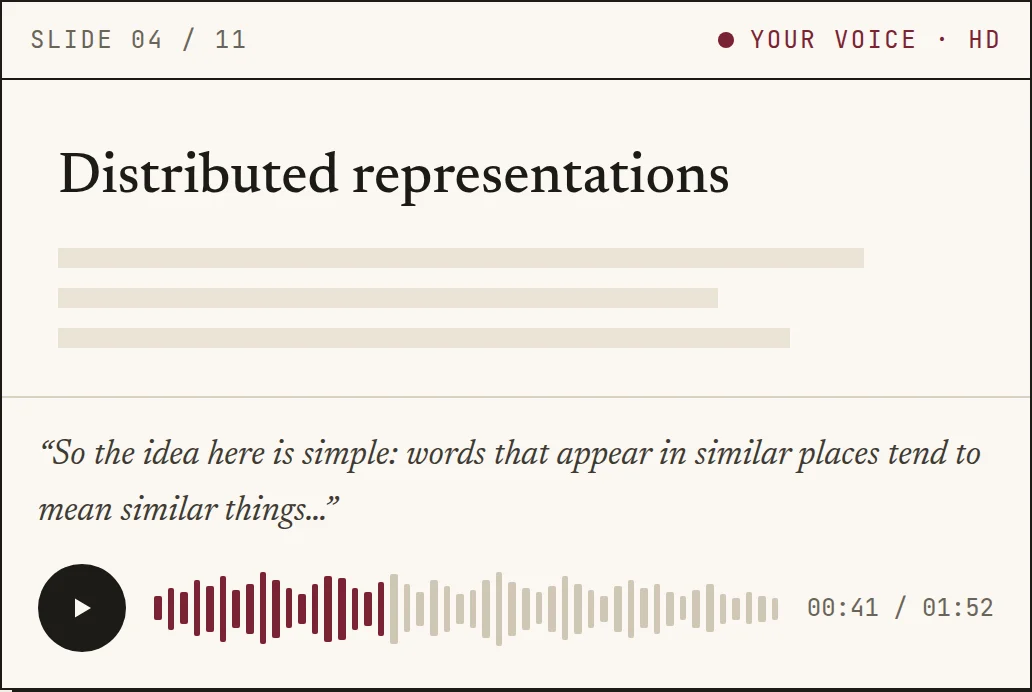
Slides
Upload a PDF or PowerPoint and keep only the pages you want.
Voice
A short sample gives a quick voice. Ten to twenty minutes gives an HD voice tuned to you.
Script
A script is drafted for every slide. You read and edit it before anything is spoken.
Audio
Each slide is spoken in your voice. Regenerate any single slide, then render one MP4 with subtitles.
Parts list
How it is put together| Item | Part | What it does | Runs on |
|---|---|---|---|
| 01 | Frontend | Next.js and TypeScript | Vercel |
| 02 | API | Python, FastAPI, REST | Ubuntu on AWS EC2 |
| 03 | Database | Managed PostgreSQL | Neon |
| 04 | Voice and video | Serverless GPU jobs, started only when needed | Modal |
| 05 | Voice model | One shared speech model, one small fine-tuned adapter per voice | Chatterbox |
| 06 | Delivery | Every change is tested and deployed automatically | GitHub Actions |
- 1.
Built for a professor at my university. It is free to use, with optional donations.
- 2.
Your voice stays yours. It is used only for your own lectures, never shared or used to make anyone else's voice, and you can delete it at any time.
- 3.
You stay in control. Read and edit every script before it is spoken, and regenerate any single slide you are not happy with.
- 4.
Every clip carries an inaudible mark that identifies it as AI-generated.